 Convertly
Custom domains
Serve quizzes from your own domain for a fully white-labeled experience. No Convertly branding in the URL.
Features
01 / Build
Write a question, assign answer points, and define your result ranges. Start from a template or use AI-assisted quiz generation, then refine the logic yourself.
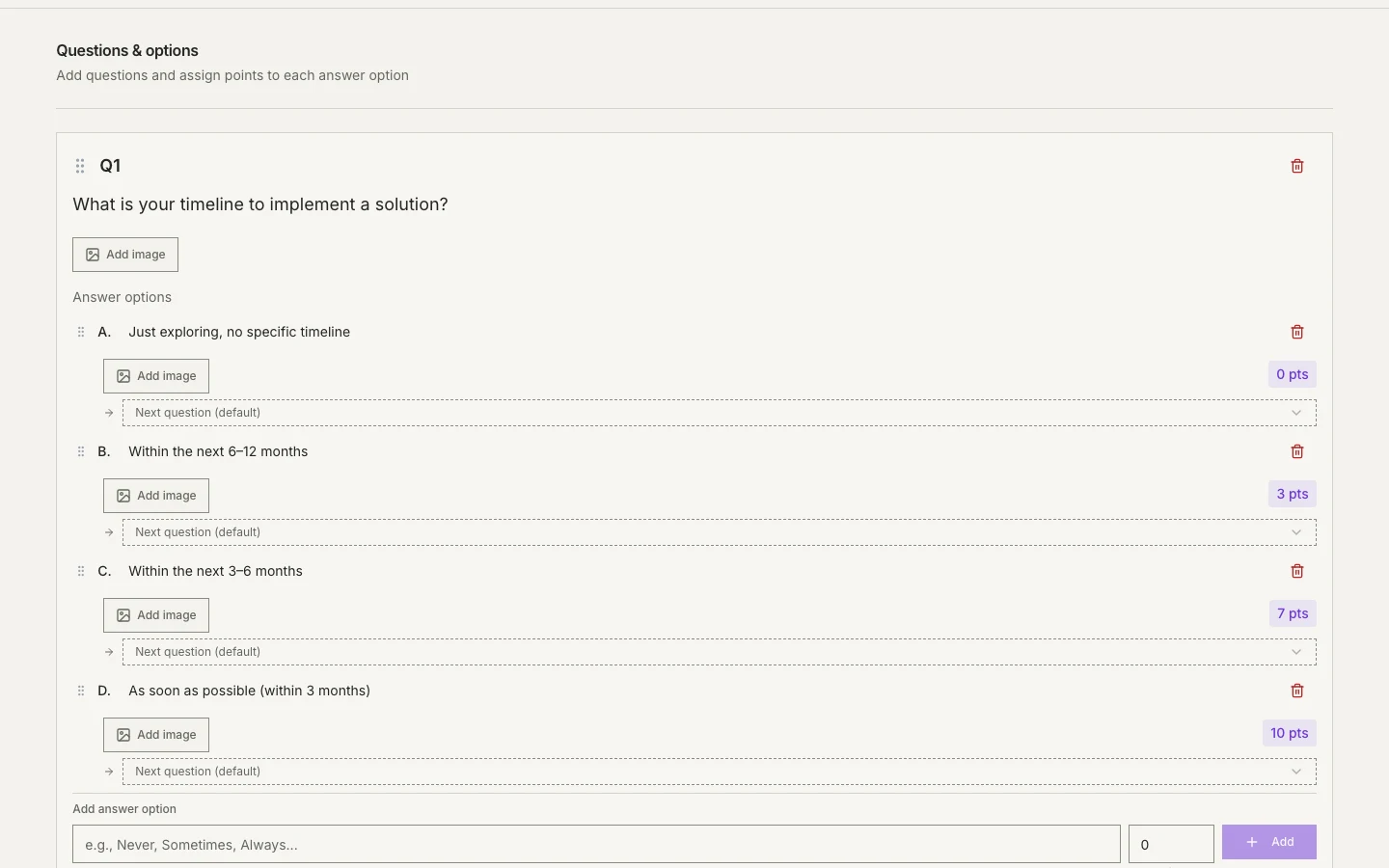
Reorder questions and answers with simple drag-and-drop.
Assign point values to each answer option.
Add images to questions and answer options.
Show or skip questions based on previous answers.
02 / Score
Define score ranges with custom titles and messages. Quiz takers see a personalized result that matches their total score.
Give each answer a point value. Convertly adds them up and matches the total to your result ranges. Your rules make the difference.
Explore quiz templatesLive preview of the lead qualification template. Nothing is submitted or saved.
03 / Understand
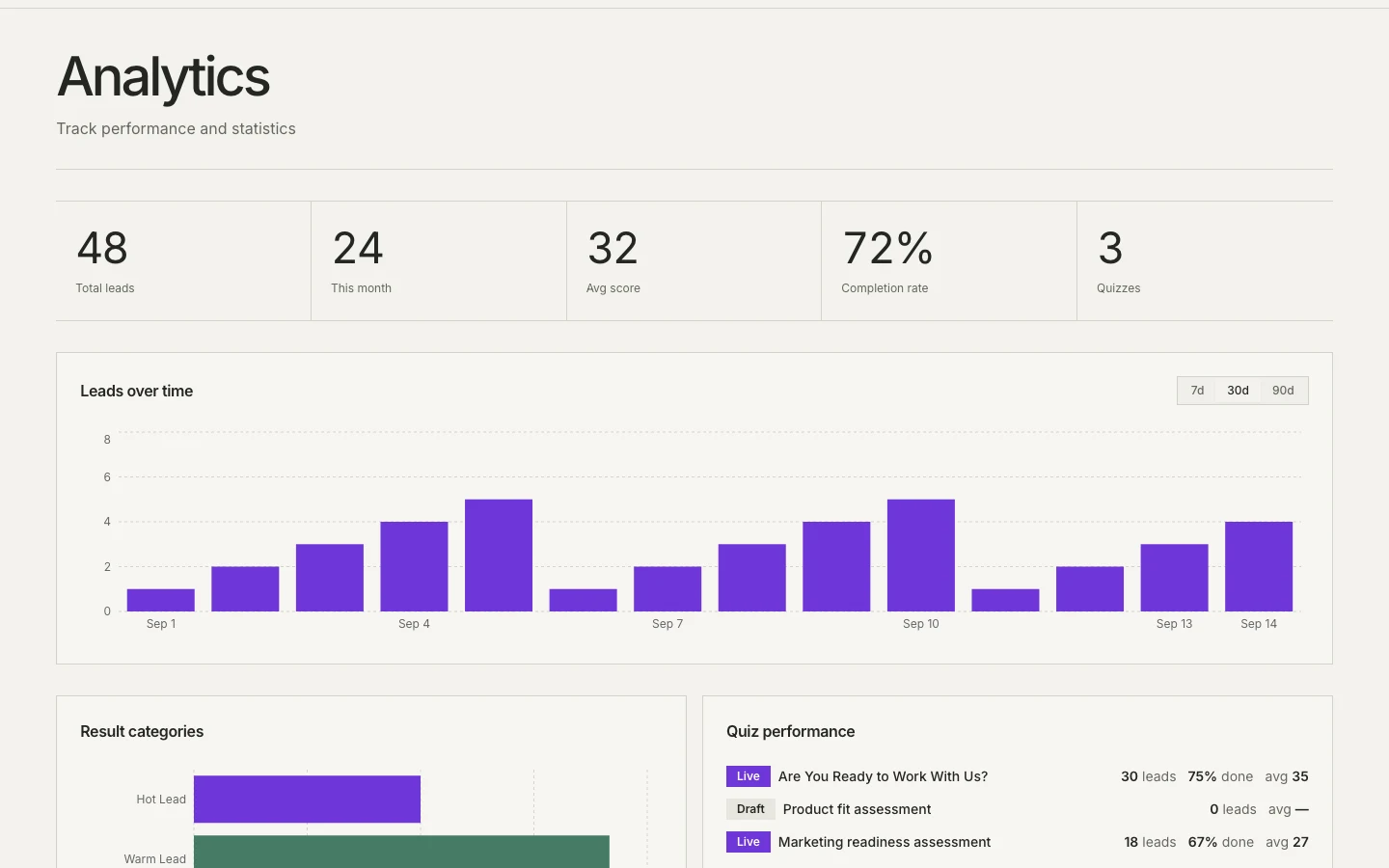
Track quiz performance, monitor lead volume, and understand where visitors drop off — available on Pro and Business plans.
Quiz Templates
Start with a quiz template or generate a draft from your topic, audience, and industry. Edit the questions, points, and result messages before publishing.
Explore quiz templatesA blank quiz, a ready-made template, or AI-assisted generation.
Refine the questions, arrange the answers, and decide what each signal is worth.
Try the quiz before sharing its link with your audience.
04 / Connect
Connect Convertly to your existing tools. Native integrations with email platforms and CRMs sync leads automatically. Plus Zapier, webhooks, and REST API for custom workflows.
Available on Pro and Business. Each integration sends the fields supported by that provider; follow-up workflows are configured in your connected tools.
Share a quiz link, or embed an inline quiz or popup on your website with a paid plan.
Read the documentationServe quizzes from your own domain for a fully white-labeled experience. No Convertly branding in the URL.
Reach an international audience. Convertly supports English and Polish, with the full interface — builder, public quiz, and emails — translated.
Start for free, upgrade when you need more. No credit card required.